Saturday, 12 September 2020

HNGU Transcript process for WES

4 comments

You may find HNGU Transcript WES process pretty backward. No online system is available as of Sept-2020.

HNGU Patan Admissions 2019: M.Phil Courses Admission Form Online


Download Transcript format from University website

  • Visit https://www.ngu.ac.in/FormsDownload.aspx
  • Download Transcript format (PDF and Word file available)

Prepare Transcripts
  • Fill detail as mentioned in your mark-sheet as it is.
  • Fill Study hours detail of each subject by confirming from your college. (Mostly its 3 hours for the BCA course)
  • Print 3 sets of transcripts (each for WES, University, and You)
  • Print one WES request form (You get it on the WES site, Mention your WES reference number in it)
Visit College
  • Get one set Verified, Stamped, and Signed by Principle of College, Keep the other 2 as it is.
  • They may ask you for the original mark sheet to verify marks
Go to HNGU, Patan
  • Confirm timing from HNGU by contacting first. (Alternate Saturday is off)
    https://www.ngu.ac.in/Contact.aspx

  • Visit HNGU Admin building here: https://goo.gl/maps/apjLMRPGefBbbfCj7

  • Work starts at 11am onwards

  • Take form for transcript processing request(mention your basic detail like name, course, present home address) [Please fill mobile and address detail correctly, they will call the same number if there is any query, they will send a copy of the transcript on the same address]

  • Go to student help center(Just near admin building)

  • Give 3 sets of transcript(including 1 signed by the college), 1 set of Marksheet(self-attested), 1 transcript request form

  • One person will verify details, suggest changes if any

  • He will tell you how much fee required to pay and tell you to visit the cashier department(near the admin building), 
    Fees as of Sept-2020
    • Rs. 600 for Transcript processing
    • 2000 for courier charge for WES Canada
    • Have to pay through Card(Debit/Credit) if the fees are more than 500
    • Take 2 receipts for payment

  • Go to the Student section again and submit 1 copy of payment recepit and all your transcript documents

  • Huff, It's Done (Now pray God. If University find any query in transcript details, you have to all process again)

Document Checklist for HNGU WES process
  • 3 Sets of Transcript (1 signed, stamped by College)
  • 1 Sets of all mark sheet (they does not ask for original but I suggest you to carry all originals)
  • WES Academic request form (fill WES reference number)
  • Min Rs. 2600 (should be paid through Card) 

I request all students of HNGU to pray god that HNGU does implement a modern transcript process as followed by GTU where my transcript dispatched within 30hours of online application without visiting college or university. 

Thursday, 22 September 2016

Spring Basic Hello World Program

0 comments
Let's start learning Spring Framework with actual programing instead lengthy theory.

Program Definition

Write a simple Spring Application which will print "Hello World!" or any other message based on the configuration done in Spring Beans Configuration file.

Step-1 Create Maven Project in Eclipse IDE

Create Maven project in Eclipse IDE. 
File > New > Maven Project > Create Simple Project

Provide following details:
Group Id: com.iamlearninghere
Artifact Id: helloworld
Project Name: helloWorld

Click Finish. Now project setup is done

Step-2 Add Spring Library in pom.xml

pom.xml

<project xmlns="http://maven.apache.org/POM/4.0.0" xmlns:xsi="http://www.w3.org/2001/XMLSchema-instance"
  xsi:schemaLocation="http://maven.apache.org/POM/4.0.0 http://maven.apache.org/xsd/maven-4.0.0.xsd">
  <modelVersion>4.0.0</modelVersion>

  <groupId>com.iamlearninghere</groupId>
  <artifactId>helloworld</artifactId>
  <version>0.0.1-SNAPSHOT</version>
  <packaging>jar</packaging>

  <name>helloworld</name>
  <url>http://maven.apache.org</url>

  <properties>
    <project.build.sourceEncoding>UTF-8</project.build.sourceEncoding>
    <org.springframework-version>4.1.4.RELEASE</org.springframework-version>
  </properties>

  <dependencies>
        <!-- Spring -->
        <dependency>
            <groupId>org.springframework</groupId>
            <artifactId>spring-context</artifactId>
            <version>${org.springframework-version}</version>
        </dependency>
        <dependency>
            <groupId>org.springframework</groupId>
            <artifactId>spring-webmvc</artifactId>
            <version>${org.springframework-version}</version>
        </dependency>
        <dependency>
            <groupId>org.springframework</groupId>
            <artifactId>spring-tx</artifactId>
            <version>${org.springframework-version}</version>
        </dependency>
      
        <!-- Spring ORM -->
        <dependency>
            <groupId>org.springframework</groupId>
            <artifactId>spring-orm</artifactId>
            <version>${org.springframework-version}</version>
        </dependency>

  
        <!-- Test -->
        <dependency>
            <groupId>junit</groupId>
            <artifactId>junit</artifactId>
            <version>4.7</version>
            <scope>test</scope>
        </dependency>

    </dependencies>
</project>

This will automatically download all required jar from Maven Repository

Step-3 Do Actual Code For Program

Create HelloMessage.java and modify App.java as below:

HelloMessage.java

package com.iamlearninghere.helloworld;

import org.springframework.beans.factory.DisposableBean;
import org.springframework.beans.factory.InitializingBean;

public class HelloMessage  {

    private String message;

    public String getMessage() {
        return message;
    }

    public void setMessage(String message) {
        this.message = message;
    }
}

App.java
package com.iamlearninghere.helloworld;

import org.springframework.context.ApplicationContext;
import org.springframework.context.support.ClassPathXmlApplicationContext;

/**
 * Hello world!
 *
 */
public class App {
    public static void main(String[] args) {
      
        ApplicationContext applicationContext = new ClassPathXmlApplicationContext("beans.xml");
        HelloMessage helloMessage = (HelloMessage)applicationContext.getBean("helloMessage");
      
        System.out.println("This is message: " + helloMessage.getMessage());
    }
}

  • Create Application Context using ClassPathXmlApplicationContaxt, This API load beans.xml configuration file from classpath. It will take care of creating, initializing and destroying beans.

Step-4 Create Bean Configuration File

Create beans.xml file under src folder to define beans(POJO).
beans.xml

<beans xmlns="http://www.springframework.org/schema/beans"
    xmlns:xsi="http://www.w3.org/2001/XMLSchema-instance"
    xsi:schemaLocation="http://www.springframework.org/schema/beans
    http://www.springframework.org/schema/beans/spring-beans-3.0.xsd">

   <bean id="helloMessage" class="com.iamlearninghere.helloworld.HelloMessage">
       <property name="message" value="Hello World!"/>
   </bean>

</beans>

Step-5 Running Program

Run App.java using Ctrl_F11 and if everything is write, it will print following output

Output:

This is message: Hello World!

Congratulations, you have created your first Spring Application successfully. Hope this helped to start with Spring Framework.

Wednesday, 24 July 2013

Introduction to Database System

0 comments
  • A database is a collection of related data.
  • By data,we mean known facts that can be recorded and that have implicit meaning.
  • A database can be of any size and complexity. For example, the list of names and
    addresses referred to earlier may consist of only a few hundred records, each with a
    simple structure.
A database has the following implicit properties:
  • A database represents some aspect of the real world, sometimes called the miniworld or the universe of discourse (UoD). Changes to the miniworld are reflected in the database.
  • A database is a logically coherent collection of data with some inherent meaning. A random assortment of data cannot correctly be referred to as a database.
  • A database is designed, built, and populated with data for a specific purpose. It has an intended group of users and some preconceived applications in which these users are interested.

An example of a large commercial database is Amazon.com

It contains data for over 20 million books, CDs, videos, DVDs, games, electronics, apparel, and other items. The database occupies over 2 terabytes (a terabyte is 1012 bytes worth of storage)
and is stored on 200 different computers (called servers). About 15 million visitors
access Amazon.com each day and use the database to make purchases. The
database is continually updated as new books and other items are added to the
inventory and stock quantities are updated as purchases are transacted. About 100
people are responsible for keeping the Amazon database up-to-date.

A database management system (DBMS)

A database management system (DBMS) is a collection of programs that enables
users to create and maintain a database. The DBMS is a general-purpose software system
that facilitates the processes of defining, constructing, manipulating, and sharing
databases among various users and applications.
  • Defining a database involves specifying
    the data types, structures, and constraints of the data to be stored in the database.
  • Constructing the database is the process of storing the data on some storage medium that is controlled
    by the DBMS.
  • Manipulating a database includes functions such as querying
    the database to retrieve specific data, updating the database to reflect changes in the
    miniworld, and generating reports from the data.
  • Sharing a database allows multiple users and programs to access the database simultaneously.
Other important functions provided by the DBMS include protecting the database
and maintaining it over a long period of time. Protection includes system protection
against hardware or software malfunction (or crashes) and security protection
against unauthorized or malicious access. A typical large database may have a life
cycle of many years, so the DBMS must be able to maintain the database system by
allowing the system to evolve as requirements change over time.
we will call the database and DBMS software together a database system.

Sunday, 21 July 2013

eBook | ANDROID WIRELESS APPLICATION DEVELOPMENT Free Download

1 comments

Book introduction

In GTU MCA sem 5 syllabus, ANDROID WIRELESS APPLICATION DEVELOPMENT is main text book.
Auther :: Lauren Darcey and Shane Conder,
Publication ::Pearson Education :: 2nd (2011
)

Features

  • Covers application design, development, debugging, packaging, distribution, and much more
  • Includes invaluable real-world tips from experienced mobile developers
  • This book covers multiple Android SDK versions, which is how developers must work with Android

Buy Online at Discounted price

Download eBook Free !

Free download Adnroid ebook(pdf).
Here is Link to Download it free >> http://bit.ly/ANDROIDbook
Share it with your friends

Acknowlegement

Thank you for sending this ebook, we are glad to post it here. if you want to send such useful free materials to us email at: iamlearninghere@yahoo.com plz mention name with your email so we can display it with post.

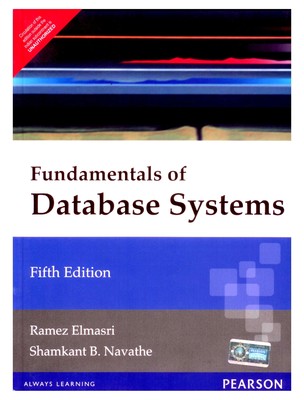
eBook | Fundamentals of Database System Free Download

1 comments
MCA sem-5 is started, Hope all of you are enjoying the final year of GTU MCA( hope so!! ). Well in my life of study , thing i hate most is Books price. so much expensive is this!!

In Sem-5 i have choose ADBMS as elective subject, of course it is threory subject, hvae to go for book. So i visited popular online shoopping site Flipkart.com.and Infibeam.com


Price of Book online ::


"Fundamentals of Database Systems”,Pearson Education, 5th Edition = Rs. 450 +

( Buy from Infibeam.com )

“Oracle 9i, DBA Handbook”, Oracle Press, TMGH Publications = Rs. 470 +

 if you can afford this books, its best to buy but id you can't afford this than don' worry.

we are here to give you free ebook(pdf) of this two ADBMS books,

free ebook(pdf) download of Fundamentals of Database Systems”,Pearson Education, 5th Edition and 
Oracle 9i, DBA Handbook

Download from here ::


First textbook      >> Download
Second textbook >> Download (this is 10G edition but theory same)


Note::
Price is seen on posting time that may change time to time,so refer website for latest price.

Thank You so much for our anonymous reader who shared a ebooks link with us.

Friday, 19 July 2013

(For Beginner) How to Setup Android App Development Tools Video Tutorials

0 comments


In this lesson you will learn:

-Installing Eclipse
-Set up the link to the ADT
-Setting up the SDK and different android platforms
-Setting up the AVD

Download links:
Eclipse: http://www.eclipse.org/downloads/
Android SDK: http://developer.android.com/sdk/inde...
Android ADT: http://developer.android.com/sdk/ecli...

Additional help link: http://developer.android.com/sdk/inst...


source : mybringback.com

Sunday, 23 June 2013

16. Assume that the information regarding the marks for all the subjects of a student in the last exam are available in a database, Develop a Servlet which takes the enrollment number of a student as a request parameter and displays the marksheet for the student.

0 comments
WTAD Practical - 16
Assume that the information regarding the marks for all the subjects of a student in
the last exam are available in a database, Develop a Servlet which takes the
enrollment number of a student as a request parameter and displays the marksheet for the student.
index.html


<HTML>
<HEAD>
<TITLE>WTAD.practical-16 @iAmLearningHere </TITLE>

</HEAD>
<BODY bgcolor="YellowGreen">
<h3> Result  </h3>
<hr>
<form name="frm1" action="display">
Enter Enrolment No :: <input type="text" name="en"> 
<input type="submit" Value="Get Result"">
</form>
</BODY>
</HTML>

Saturday, 22 June 2013

15. Assume that we have got three pdf files for the MCA-1 Syllabus, MCA-2 Syllabus and MCA-3 Syllabus respectively, Now write a Servlet which displays the appropriate PDF file to the client, by looking at a request parameter for the year (1, 2 or 3).

1 comments
WTAD Practical - 15
Write a Servlet to display parameters available on request.
index.html


<HTML>
<HEAD>
<TITLE>WTAD.practical-15 @iAmLearningHere </TITLE>
</HEAD>
<BODY bgcolor="YellowGreen">
<h3>DISPLAY Syllabus in pdf</h3>
<hr>
<form name="f1" action="display" method="get" >
MCA-1<br>
MCA-2<br>
MCA-3<br>
<input type="text" name="MCA" value="" />
<input type="submit" value="Show Syllabus" />
</form>
</BODY>
</HTML>

14. Write a Servlet which displays a message and also displays how many times the message has been displayed (how many times the page has been visited).

0 comments
WTAD Practical - 14
Write a Servlet which displays a message and also displays how many times the
message has been displayed (how many times the page has been visited).
WEB-INF/web.xml


<web-app>
<servlet>
<servlet-name>s14</servlet-name>
<servlet-class>VisitCount</servlet-class>
</servlet>
<!-- Servlet Mapping -->
<servlet-mapping>
<servlet-name>s14</servlet-name>
<url-pattern>/visit</url-pattern>
</servlet-mapping>
</web-app>

12. Write a Servlet to display parameters available on request.

0 comments
WTAD Practical - 12
Write a Servlet to display parameters available on request.
index.html


<HTML>
<HEAD>
<TITLE>WTAD.practical-12 @iAmLearningHere </TITLE>
</HEAD>
<BODY bgcolor="YellowGreen">
<h3>Display parameters available on request.</h3>
<hr>
<form name="f1" action="display" method="get" >
<!-- Enter Three Parameters Here -->
Source Name:<input type="text" name="nm"/><br />
Subject 1 &nbsp;&nbsp;&nbsp; : <input type="text" name="sub1" /><br />
Subject 2 &nbsp;&nbsp;&nbsp; : <input type="text" name="sub2" /><br />

<input type="submit" value="Send Parameters" />
</form>
</BODY>
</HTML>

Friday, 21 June 2013

11. Write a Servlet to display all the headers available from request.

1 comments
WTAD Practical - 11
Write a Servlet to display all the headers available from request.
WEB-INF/web.xml


<web-app>
<servlet>
<servlet-name>s11</servlet-name>
<servlet-class>RequestHeaders</servlet-class>
</servlet>
<!-- Servlet Mapping -->
<servlet-mapping>
<servlet-name>s11</servlet-name>
<url-pattern>/requestheaders</url-pattern>
</servlet-mapping>
</web-app>

10.Write a Servlet to display “Hello World” on browser.

0 comments
WTAD Practical - 10
Write a Servlet to display “Hello World” on browser.
WEB-INF/web.xml


<web-app>
<servlet>
<servlet-name>s10</servlet-name>
<servlet-class>Hello</servlet-class>
</servlet>
<!-- Servlet Mapping -->
<servlet-mapping>
<servlet-name>s10</servlet-name>
<url-pattern>/hello</url-pattern>
</servlet-mapping>
</web-app>

Monday, 17 June 2013

9. Write a JavaScript to show a pop up window with a message Hello and background color lime and with solid black border.

0 comments
WTAD Practical - 9
Write a JavaScript to show a pop up window with a message Hello and background
color lime and with solid black border.


<HTML>
<html>
<HEAD>
<TITLE>WTAD.practical-9 @iAmLearningHere </TITLE>
</HEAD>
<body bgcolor="YellowGreen">
    <form name="f1">
            <input type="button" value="Pop Up"    onclick="window.open('w1.html','PopUpWindow','width=2s00',
            'height=50')">
    </form>
</body>
</HTML>

8. Write a JavaScript to find a string from the given text. If the match is found then replace it with another string.

0 comments
WTAD Practical - 8
Write a JavaScript to find a string from the given text. If the match is found then
replace it with another string.


<HTML>
<html>
<HEAD>
<TITLE>WTAD.practical-8 @iAmLearningHere </TITLE>
</HEAD>
<body bgcolor="YellowGreen">
        <font size="4">
        <script language="javascript" type="text/javascript">
        var c = prompt("Enter Text :");
        var searchtxt = prompt("Enter Search Text :");
        document.write("<br>Text is :: " + c );
        document.write("<br>Search text is :: " + searchtxt);
        var r = new RegExp(searchtxt);
        if ( c.search() == -1)
        {
            alert("Match Not Found");
            var searchtxt = prompt("Enter Search Text Again:");
        }
        else
        {
            alert("Match Found !");
            var rtext = prompt("Enter  Text To replace With:");
            document.write("<br>Replace text is :: " + rtext);
            document.write("<br>Replaced Text :: " + c.replace(r,rtext));
        }
    </script>
    </body>
</HTML>

7. Write a JavaScript to convert Celsius to Fahrenheit.

0 comments
WTAD Practical - 7
Write a JavaScript to generate two random numbers and find out maximum and
minimum out of it.


<HTML>
<html>
<HEAD>
<TITLE>WTAD.practical-7 @iAmLearningHere </TITLE>
</HEAD>
<body bgcolor="YellowGreen">
        <center><font size=5>
        <script language="JavaScript">
            var a,b;
            a=parseFloat(prompt("enter the Celsius:",""));
            document.write("Celsius value is: "+a+"<br><br>");
            b=32+(a*1.8);
            alert("Celsius to Fehrenheit "+b);
            document.write("Fehrenheit value is: "+b);
        </script>
    </body>
</HTML>

6. Write a JavaScript to remove the highest element from the array and arrange the array in ascending order.

0 comments
WTAD Practical - 6
 Write a JavaScript to remove the highest element from the array and arrange the array in ascending order.

<HTML>
<html>
<HEAD>
<TITLE>WTAD.practical-6 @iAmLearningHere </TITLE>
</HEAD>
<BODY bgcolor="YellowGreen">
    <script language="JavaScript">
            var i,size,j,temp;
            var arr=new Array();
            size=parseInt(prompt("enter the size of array",""));
            for(i=0;i<size;i++)
            {
                arr[i]=parseInt(prompt("enter the element of array",""));
            }
            document.write("array is:-<br>");
            for(i=0;i<size;i++)
            {
                document.write(arr[i]+", ");
            }
            for(i=0;i<size;i++)
            {
                for(j=i+1;j<size;j++)
                {
                    if(arr[i]>arr[j])
                    {
                        temp=arr[i];
                        arr[i]=arr[j];
                        arr[j]=temp;
                    }
                }
            }
            document.write("<br><br>sorted array is:-<br>");
            for(i=0;i<size;i++)
            {
                document.write( arr[i] + ", ");
            }
            document.write("<br><br>after delete large element array is:-<br>");
            arr.pop();
            for(i=0;i<arr.length;i++)
            {
                document.write(arr[i]+", ");
            }
        </script>
</BODY>
</HTML>

Monday, 15 April 2013

MCA sem - 4 Summer Examination - 2013

0 comments
MCA sem - 4 summer examination time table is out now, It's Starting from 21st May,13.

Download TimeTable here

This time table is gives relief because GTU has given 1-2 days gap between each paper, this will be beneficial for students. Start your preparation for the exams.


All the best to all the students
Keep Learning

 >> All MCA sem 1 to 5 summer 2013 exam time table link << 

5. Write a JavaScript to generate two random numbers and find out maximum and minimum out of it.

0 comments
WTAD Practical - 5
Write a JavaScript to generate two random numbers and find out maximum and
minimum out of it.


<HTML>
<HEAD>
<TITLE>WTAD.practical-5 @iAmLearningHere </TITLE>
</HEAD>

<script type="text/javascript">
    function calculateRandom()
    {
        var r1=Math.floor(Math.random()*100);
        var r2=Math.floor(Math.random()*100);
        document.write('<br>Random No.1 : ' + r1);
        document.write('<br>Random No.2 : ' + r2);
        if (r1 < r2)
        {
            document.write('<br><br>Minimum No.:' + r1);
            document.write('<br>Maximum No.:' + r2);
        }
        else
        {
            document.write('<br><br>Minimum No.:' + r2);
            document.write('<br>Maximum No.:' + r1);
        }
    }
</script>

Sunday, 14 April 2013

4. Write a JavaScript that finds out multiples of 10 in 0 to 10000. On the click of button start the timer and stop the counter after 10 seconds. Display on the screen how many multiples of 10 are found out within stipulated time.

0 comments
WTAD Practical-4
Write a JavaScript that finds out multiples of 10 in 0 to 10000. On the click of button
start the timer and stop the counter after 10 seconds. Display on the screen how
many multiples of 10 are found out within stipulated time.


<HTML>
<HEAD>
<TITLE>WTAD.practical-4 @iAmLearningHere </TITLE>
</HEAD>

<script type="text/javascript">
    function start()
    {
        setTimeout("displayMultiple()", 10000); // time in millisecond
    }

    function displayMultiple()  
    {
        var i = 1;
        document.write(" [ ");
        for(i=1; i<=10000; i++)
        {
            if(i%10==0 )
                document.write(i + ' , ');
        }
        document.write(" ] ");
    }
</script>

Saturday, 13 April 2013

3. Create a Form in HTML with two fields, minimum and maximum, write JavaScript to validate that only numeric value is entered in both, and the value entered in minimum is less than the value entered in maximum.

0 comments
WTAD Practicals :

Create a Form in HTML with two fields, minimum and maximum, write JavaScript
to validate that only numeric value is entered in both, and the value entered in
minimum is less than the value entered in maximum.

<HTML>
<HEAD>
<TITLE>WTAD.practical-3 @iAmLearningHere </TITLE>
</HEAD>
<BODY>
<script type="text/javascript">
    function isValidNum(num)
    {
        if(isNaN(num.value))
            alert("plz enter valid number!!");
        num.focus();
    }
  
    function check()
    {
        var num1 = document.getElementsByName("txtmin")[0].value;
        var num2 = document.getElementsByName("txtmax")[0].value;
        if( num1 < num2 )
            document.getElementById("msg").innerHTML=" Minimum is less than Maximum. OK!";
        else
            document.getElementById("msg").innerHTML="Wrong Entry!!";       
    }
</script>


Recent Post

Recent Comments

© 2010 IamLearningHere Template by MBT